Embedded Software Security Testing
esFirmware is a tool to run side-channel analysis and fault injection on software binaries entirely in emulation, without a physical test bench. Security teams can validate countermeasures, catch vulnerabilities, and generate attack datasets early in the development lifecycle.

Embedded Software Security Testing
esFirmware is a tool to run side-channel analysis and fault injection on software binaries entirely in emulation, without a physical test bench. Security teams can validate countermeasures, catch vulnerabilities, and generate attack datasets early in the development lifecycle.


Integrated into the esDynamic Platform
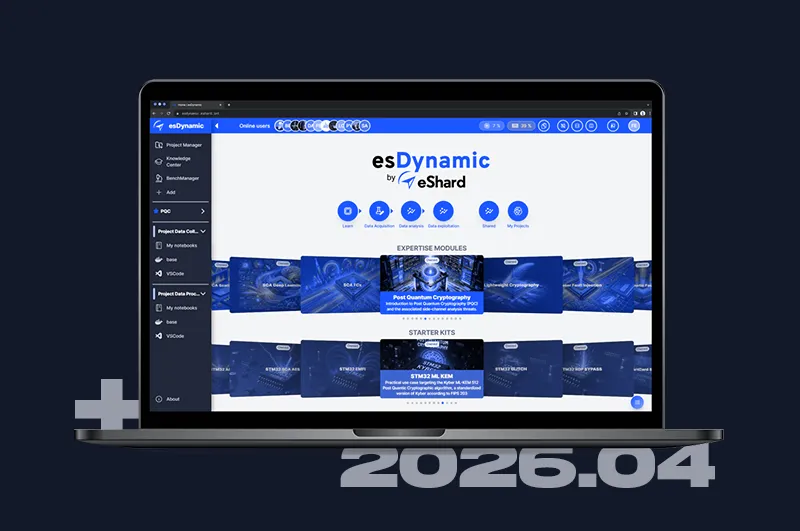
esFirmware runs as a ready-to-use JupyterLab instance on the esDynamic platform.




Tracer engine
Record runtime execution data to produce clean, noise-free traces. Validate cryptographic implementations (AES, RSA, ECC and more) and trace side-channel leakage down to the exact instruction, with no physical measurement noise in the way.
Fault injection engine
Introduce faults at precise points during code execution to simulate physical attacks. Automate test campaigns to validate countermeasures early, before costly hardware iterations.
Ready for CI/CD
Python-based test campaigns can be compiled into standalone executables for seamless CI/CD integration, keeping security testing active as the codebase evolves.
Expert Knowledge Built In
Ready-to-use Jupyter notebooks cover campaign setup, attack tutorials, and leakage analysis, authored by hardware security specialists. Trace datasets are exportable in standard formats for use with your existing analysis workflows.

Built for the most common Embedded Architectures
Test software binaries across the most widely used embedded architectures. Additionally, the technology is extensible to include support for specific proprietary IP.

Intel
Trace and fault x86 and x64 binaries to uncover side-channel leakage and fault injection vulnerabilities in software running on Intel-based embedded systems.

ARM
Run side-channel and fault injection campaigns on Arm binaries, the most common target in embedded and IoT security testing.
Risc-V
Execute and attack RISC-V binaries in emulation, bringing the same tracer and fault injection capabilities to one of the fastest-growing architectures in secure embedded development.
Start testing your binaries without hardware
Request a demo or reach out to discuss how esFirmware fits into your security workflow.
Frequently Asked Questions

We call it stubbing. This requires to hook the QEMU engine with your own code, in C language, in order to extend the emulation with the specifics of the proprietary IP. Once it is done once, the tool capability is augmented.
Absolutely. As a Python-based framework, we offer comprehensive documentation to assist you in implementing custom updates. Furthermore, our team has already successfully integrated and refined a diverse range of fault models.
Certainly. Python scripts can be transformed into standalone executables for seamless CI/CD integration. To ensure these tests remain effective as the codebase evolves, a structured management of the test campaign is necessary to maintain adaptability to changes.
Emulation provides significant advantages for root cause analysis. By pinpointing specific instructions vulnerable to fault injection or data leakage, you can map these weaknesses directly back to the source code to streamline security enhancements.